
How Can I Host Own Website? Step-by-Step Guide
Launching a website can feel like a daunting task if you have never done it before. You might be asking yourself, how can I host own website without hiring expensive developers? The good news is that with modern tools like cPanel and one-click installers, the process has become incredibly simple.
Whether you want to start a personal blog, a portfolio, or a business site, this guide will walk you through the exact steps to get your website online today.
Step 1: Choose Your Domain Name
Before you can host a website, you need an address. Your domain name is what people will type into their browser to find you.
When choosing a domain, try to keep it short, easy to spell, and relevant to your brand. Avoid using hyphens or numbers if possible. Once you have a name in mind, you need to register it. At HostingGen, you can search for and register your perfect domain name instantly.
Step 2: Select the Right Web Hosting Plan
This is the most critical step. Your hosting provider is where your website files will actually live. To host my own website successfully, I need to ensure the server is fast and secure.
When looking for a hosting plan, look for these features:
- NVMe SSD Storage: This ensures your website loads quickly.
- cPanel Access: The industry-standard control panel that makes managing your site easy.
- SSL Certificate: A security feature that gives you the green padlock icon in the browser.
For beginners, our Starter Web Hosting Plan offers all these features with 1 vCPU resource, which is perfect for getting started.
Step 3: Connect Your Domain to Your Host
If you bought your domain and hosting from the same place (like HostingGen), this step is usually done automatically.
However, if you bought your domain elsewhere, you need to update the Nameservers. Nameservers tell the domain registrar where your website is hosted. You will simply copy the nameservers provided in your welcome email (usually looking like https://www.google.com/search?q=ns1.hostinggen.com) and paste them into your domain settings.
Step 4: Install a Website Builder (WordPress)
Now comes the fun part. You do not need to know how to code to build a professional site. Most websites today are built on WordPress. WordPress websites are easy to manage and secured. It’s vast community and well resourced plugin platforms make this platform best for any kind of businesses.
Since we provide the Softaculous tool in your cPanel, installing WordPress takes less than two minutes:
- Log in to your cPanel account.
- Scroll down to the Software section and click on Softaculous Apps Installer.
- Find WordPress and click Install.
- Fill in your site name and admin password, then click the Install button at the bottom.
Voila! Your website is now live.
Step 5: Upload Your Content
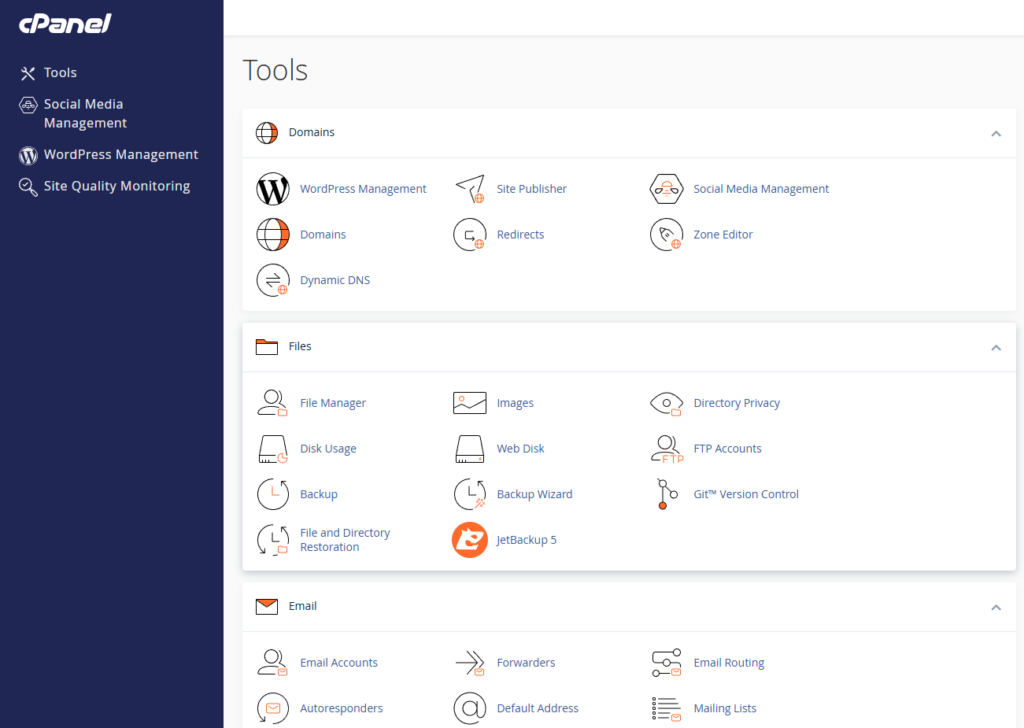
If you are not using WordPress and have a custom-coded HTML website, you can use the File Manager in cPanel.
Simply navigate to the “public_html” folder inside the File Manager and upload your HTML, CSS, and image files there. Once the upload is complete, your site will be visible to the world.
If you are using WordPress, it’s very easy to upload your content and manage them via WordPress media section of the platform.
Conclusion
Learning how to host my own website is a valuable skill that gives you full control over your online presence. It is not as technical as it sounds. With a reliable partner like HostingGen, you get the tools and support needed to make this journey smooth.
Ready to start? Visit our Hosting Page to choose a plan and launch your dream website today.